
Config file (YAML)
Paddock has always been configured from the environment (every PADDOCK_*
variable is listed here). As the number of knobs
grew, so did the length of the -e FOO=bar list on the run command. Since
v0.31 you can instead keep an instance’s settings in a single YAML file
— and every environment variable still wins over it, so you can override one
value at run time without rewriting the file.
This page covers the file: where it lives, how it layers with the environment,
and a realistic example. It documents the same loader as the env-var page
(packages/server/src/config.ts), so the two are two views of one config.
Precedence: file < env, defaults beneath both
Section titled “Precedence: file < env, defaults beneath both”There is one resolution order, from lowest to highest priority:
- Built-in defaults — the floor. Every setting has a sane default baked into
the code (e.g.
PORT→4000,auth.mode→none). - The YAML file — overrides the defaults. This is the base layer: each file value is threaded in as the fallback beneath the matching environment read.
- Environment variables — override the file. A
PADDOCK_*(or plain, e.g.PORT) env var always wins over the file value it shadows.
So the mental model is defaults < file < env. An env-only deployment is completely unaffected: with no file present, resolution is byte-for-byte the behaviour it had before the loader existed. You can adopt the file gradually — move your stable settings into it and keep using env vars for the one or two you tweak per run.
Where the file lives
Section titled “Where the file lives”Paddock looks for the file in one of two places:
PADDOCK_CONFIG— if this env var is set, it’s an explicit path to the file (wins over the default location).- Otherwise
<PADDOCK_DATA_DIR>/paddock.config.yaml— the default location, under your data directory (which defaults to./data).
The file is entirely optional:
- No file → no-op. If the default file doesn’t exist, Paddock runs env-only, exactly as before. Existing installs need change nothing.
- A missing explicit file is an error. If
PADDOCK_CONFIGpoints at a path that doesn’t exist, that’s treated as a misconfiguration — startup fails with a clear error rather than silently ignoring your intent. - A malformed file is an error. Unparseable YAML, or a top-level list/scalar where a mapping is expected, fails startup with a clear message rather than booting with a half-empty config.
- Empty sections are ignored, not fatal. An empty file (or a comments-only
one) is treated as “no overrides”. A valueless key (
brand:with nothing after it) is dropped, so that section falls back to env/defaults instead of crashing. - Unknown keys are ignored. This leaves room for the schedule and hook declarations that share this file to be added without breaking older builds.
An example config file
Section titled “An example config file”Keys mirror the resolved config: top-level scalars plus a few nested sections.
Every value below is optional and overridable by its matching env var. This is
the same YAML house style as project.yaml and the generated herdctl.yaml.
# <PADDOCK_DATA_DIR>/paddock.config.yaml# A home-lab instance. Every value here is overridable by its env var.
# --- Core ---port: 4000host: 0.0.0.0logLevel: info
# --- Agent behaviour ---keeperDriveMode: session      # session enables cross-turn autonomy (ScheduleWakeup / /loop)nativeSystemPrompt: true      # use the native Claude Code prompt + CLAUDE.md hierarchy
# Appended to every keeper turn's system prompt. Omit the key entirely for# Paddock's built-in text; set it to "" to append nothing. See# /configuration/instance-settings/#the-environment-promptenvironmentPrompt: |  You are running in Acme's Paddock — replies render as Markdown in a browser.  Link every ticket as [ABC-123](https://acme.atlassian.net/browse/ABC-123).
# --- What this instance shares with the host's Claude Code (#691) ---# `own` = Paddock's, isolated inside the data dir. `host` = this machine's# Claude Code. Omit the block entirely for full isolation, which is the default:# nothing outside the data dir is written.claude:  transcripts: own            # own | host — see the section below  credentials: host           # own | host — the ONE key that defaults to host  instructions: own           # own | host — your ~/.claude CLAUDE.md, agents, commands  hooks: own                  # own | host — shell commands your settings.json binds  mcpServers: own             # own | host — the servers you added with `claude mcp add`
# --- MCP servers this instance declares for ITSELF ---# A sibling of `claude:`, not a key in it: that block borrows what this machine# already has, this one says what Paddock should have regardless. `env:VAR_NAME`# anywhere a string goes means "read it from the environment" — keep tokens out# of this file, it is git-tracked.mcpServers:  notion:    command: npx    args: ["-y", "@notionhq/notion-mcp-server"]    env:      NOTION_TOKEN: env:NOTION_TOKEN
# --- Authentication (see the Authentication page for modes) ---auth:  mode: jwt  jwksUrl: https://idp.example.com/application/o/paddock/jwks/  jwtIssuer: https://idp.example.com/application/o/paddock/
# --- Per-instance branding (tell several instances apart) ---brand:  name: Homelab  logo: "🏠"  accent: "#3c6ec2"
# --- Capabilities & safety gates (default OFF; maxSpawnDepth defaults to 1) ---selfMcpEnabled: true          # read-only self-management MCP for ClaudeselfMcpWriteEnabled: true     # + the write tools (create/fork/send/archive/fan-out)selfMcpProjectsEnabled: false # + create_project (provisions a project, clones a repo)maxSpawnDepth: 1              # how deep spawned children may themselves spawnscheduleMutationEnabled: falsehooksMcpEnabled: false        # + the trigger tools (list/set/remove/run_trigger)
# --- External Management API (/mcp) — file-first; only trustedProxies has an env var ---managementApi:  instanceId: my-paddock                    # binds `pdk_<instanceId>_…` tokens here  publicUrl: https://paddock.example.com    # required once `clients` is set  trustedProxies: [172.18.0.0/16]           # whose X-Forwarded-Proto the guard believes  clients:    my-laptop:      auth:        ref: env:PADDOCK_MCP_TOKEN_MY_LAPTOP  # env reference ONLY — inline is an error      # omit `scope` for the read-only default
# --- Inbound composer attachments (file/image upload; all optional) ---attachments:  enabled: true                 # master switch (default on)  maxFileSizeMb: 25             # per-file cap  maxFilesPerMessage: 10        # per-message cap  allowedTypes: ["*"]           # a real array here (env is comma-separated)
# --- Voice dictation (Whisper), git author, GitHub OAuth ---transcription:  mode: remote  endpoint: https://whisper.example.com/v1gitAuthor:  name: Paddock  email: paddock@localhost
Point Paddock at a file in a non-default place with PADDOCK_CONFIG:
PADDOCK_CONFIG=/etc/paddock/instance.yaml node packages/server/dist/index.jsclaude — what this instance shares with your Claude Code
Section titled “claude — what this instance shares with your Claude Code”Paddock drives Claude Code, which means it sits next to state you already have:
transcripts, a login, MCP servers, a CLAUDE.md. By default it writes none of
it, and reads almost none of it. A fresh instance keeps its own Claude home
under the data dir; the only thing it takes from your ~/.claude unasked is your
login (see credentials below) and the non-executable half of your
settings.json. Everything else is a key you turn on.
Each key under claude: answers one question — whose X does this instance use?
— with one vocabulary, so the guarantee is readable at a glance rather than
inferred from which directory Paddock happens to be pointed at.
claude: transcripts: own # own | host — default own credentials: host # own | host — default host instructions: own # own | host — default own hooks: own # own | host — default own mcpServers: own # own | host — default owntranscripts
Section titled “transcripts”own(default) — each project’s chats live in its own.chats/, inside the data dir. Move the data dir and the whole instance moves with it. Deleting a chat deletes Paddock’s copy.host— Paddock uses your real~/.claude/projects/<encoded-cwd>/folder for each project’s working directory. One set of files, both directions: a chat you continue in the terminal withclaude --resumeshows up in Paddock without a restart or a re-import, and vice versa. Deleting a chat in Paddock releases it — the chat leaves your list and the transcript stays on disk, because it is your history rather than Paddock’s copy (#689).
host is implemented as one symlink per project pointing out of Paddock’s own
Claude home, not by pointing Paddock at ~/.claude. That distinction is
load-bearing rather than cosmetic: agent memory lives beside the transcripts, and
an agent cannot write to any path containing a .claude component — so the home
that moves is the one thing that must not (#690). Paddock refuses to start if
CLAUDE_CONFIG_DIR or a claudeHome: key resolves to your own ~/.claude, and
the refusal names this key as what you probably wanted.
credentials
Section titled “credentials”The one key that defaults to host, and the exception is deliberate:
isolation is about writes. Reading a login creates, moves and deletes nothing,
while defaulting it to own produces an instance that boots cleanly, says
everything is ready, and then fails every single turn with “Not logged in” —
which is exactly the bug this key closes (#683).
host(default) — Paddock uses the Claude Code login already on this machine. On macOS that is the Keychain entryclaude /loginwrote; everywhere else it is your~/.claude/.credentials.json, symlinked into Paddock’s home rather than copied, so a refreshed token is never duplicated or stale.own— Paddock uses only a login of its own: aCLAUDE_CODE_OAUTH_TOKEN/ANTHROPIC_API_KEYin the environment, or a.credentials.jsoninside its own Claude home (CLAUDE_CONFIG_DIR=<data-dir>/claude-home claude login). Nothing of yours is read. If a previous boot bridged your.credentials.jsonin, that symlink is removed on the next start.
The macOS half works because Claude Code resolves its secure-storage scope from
CLAUDE_SECURESTORAGE_CONFIG_DIR instead of CLAUDE_CONFIG_DIR whenever that
variable is defined. Paddock defines it as the empty string, which selects the
unsuffixed service name — your real login — while its own Claude home stays
exactly where it is. Nothing else is shared by this key: not transcripts, not
memory, not .claude.json. If you set CLAUDE_SECURESTORAGE_CONFIG_DIR yourself
to something non-empty, Paddock honours yours and says so at startup.
Paddock says which login it is running on when it has anything to report, and warns before the first turn — rather than after it — when it can find none.
instructions
Section titled “instructions”Your ~/.claude/CLAUDE.md, agents/, commands/ and plugins/ — prompts,
subagent definitions and slash commands. Content the model reads, or definitions
it can invoke by name; nothing here runs a command on its own.
own(default) — none of them are loaded. Each project’s ownCLAUDE.mdand.claude/are unaffected, and so is anything you put in Paddock’s own Claude home.host— all four are symlinked in, which is what every version before 0.62 did unconditionally.
This default is a reversal, and it is smaller than it looks. The version it
reverses argued that dropping these is a silent behaviour regression — your
curated ~/.claude/CLAUDE.md no longer reaching your agents, with no error.
That is a fair argument, but its premise does not hold for the runtime Paddock
actually runs chats on: user memory, agents/ and commands/ all move with
Claude Code’s user setting source, and Paddock’s agents run with only
project loaded (see the caution under hooks). So on a default chat turn these
four have been inert since chats moved to the SDK runtime — bridged or not. They
do apply to the CLI paths: the post-turn sweeper, triggers, and
driveMode: batch chats.
It is the default anyway because “own everywhere means nothing outside the
data dir is read or written” has to be a guarantee you can read off this file,
and “…except your CLAUDE.md, agents, commands and plugins, always, with no key
to turn them off” is not a guarantee, it is a footnote. Paddock names the key at
startup when it finds files it is not loading, so the fix is one line and you are
told where. Your project’s own CLAUDE.md is unaffected in every mode, and so is
agent auto-memory, which lives in the Claude home but is not gated by the setting
source.
plugins/ is bridged under host for completeness rather than effect. The
runtime’s plugin root really is the Claude home, and it does discover what is
there — but discovery is driven by enabledPlugins, which lives in
settings.json, and Paddock’s agents run with only the project settings source
loaded (see below), so the home’s settings.json is never read and the flag that
would switch a bridged plugin on never arrives. Inert today, for a reason that is
a property of two callers rather than of the files, so the lever governs them
regardless.
Hooks are shell commands your ~/.claude/settings.json binds to tool use and
session lifecycle (PreToolUse, PostToolUse, SessionStart, …). Before 0.62
they were inherited unconditionally, so every hook you had ever configured ran
inside every Paddock turn with no key to turn it off. This is that key.
own(default) — your hooks do not run here.host— yoursettings.jsonis symlinked in whole and your hooks run.
settings.json is a mixed bag: it carries hooks and permissions, model,
statusLine, enabledPlugins. A symlink is all-or-nothing and the file is not,
so under own Paddock writes its own settings.json into its Claude home —
your keys, with hooks dropped. Two consequences worth knowing:
- A restart is what applies an edit. The generated file is regenerated at
every startup, so changing your
~/.claude/settings.jsonreaches Paddock on the next start rather than immediately. Only files that actually define hooks are copied at all; without them Paddock symlinks yours as before and nothing can go stale. - A
settings.jsonyou put in Paddock’s own Claude home is never touched. Paddock recognises its own generated file by hash, so editing that file makes it yours and Paddock stops regenerating it — and says at startup thathooks: ownis therefore not in force for whatever that file says.
If your ~/.claude/settings.json cannot be parsed, Paddock plants nothing
rather than falling back to the symlink: it would rather run with no user-level
settings than hand over the hooks this key exists to withhold.
Scope, stated plainly: hooks: own means “no host hooks”, not “no host
commands”. settings.json has several other keys that name a script to run —
apiKeyHelper, awsAuthRefresh, awsCredentialExport, gcpAuthRefresh,
proxyAuthHelper, otelHeadersHelper, statusLine, subagentStatusLine — and
they are still inherited. Several of those are how a corporate login works, so
dropping them under a key named hooks would break authentication for people who
did nothing wrong; where they belong is an open question (#691).
mcpServers
Section titled “mcpServers”The MCP servers you have added with claude mcp add — the external tools your
own Claude Code can call.
own(default) — your agents get only the servers Paddock provides itself:send_file, the optional self-management tools, and the optional browser server. Nothing of yours is read.host— Paddock also attaches the servers declared in your~/.claude.json: the top-levelmcpServers(user scope, everywhere) plus any underprojects.<absolute-dir>.mcpServers(directory scope), which a project gets only when that directory is its own working directory. The boot log names every server it attached.
This key is the odd one out, and the path is why. MCP servers are not
declared inside ~/.claude at all — they live in ~/.claude.json, a sibling
file next to that directory, because Claude Code resolves it as
<config-dir-or-home>/.claude.json. So the config bridge the other keys are built
on could never have reached them, no matter how it was configured, and MCP
inheritance broke silently and separately from everything else.
host is therefore a read, not a link: Paddock reads that file and passes the
servers to the runtime. It deliberately does not symlink it, because Claude Code
writes to it — per-project trust, server approvals, migration flags — and
bridging it would mean a Paddock instance mutating your real config, which is the
thing this whole block exists to prevent.
The file is read once, at startup. Add a server and restart Paddock to pick it up.
MCP logins do follow credentials. An OAuth-authenticated server’s tokens
live under an mcpOAuth key in the same credential store as your Anthropic
login — ~/.claude/.credentials.json, or the one Claude Code-credentials
Keychain item — so credentials: host (the default) carries them, and
credentials: own means re-authorising inside Paddock. There is no separate MCP
token store.
Plugins are not covered by this key. A plugin can contribute MCP servers, and
none of them reach Paddock. The plugin files are bridged by instructions: host,
but what switches a plugin on is enabledPlugins in the Claude home’s
settings.json, and Paddock’s agents run with only the project settings source
loaded — so the flag is never read. The engine also has no way to pass a plugin
path per session. Tracked in #691; until then, a plugin’s MCP server has to be
declared directly with claude mcp add.
Declaring a server that is only for Paddock is not this key — it borrows
servers you already have. That is the top-level mcpServers:
block below.
mcpServers — the servers this instance declares itself
Section titled “mcpServers — the servers this instance declares itself”A sibling of claude:, not a key inside it, because it answers a different
question. claude.mcpServers asks whose servers this instance uses; this one
says what this instance should have, whether or not the machine it runs on has
ever heard of it. If you are running Paddock in a container and want Notion in
it, there is nothing on the host to borrow — you declare it here.
mcpServers: notion: command: npx args: ["-y", "@notionhq/notion-mcp-server"] env: NOTION_VERSION: "2022-06-28" NOTION_TOKEN: env:NOTION_TOKEN # a REFERENCE — see below linear: url: https://mcp.example.com/mcpEvery project’s keeper gets every server here, and Paddock adds each one’s
mcp__<name>__* pattern to that keeper’s tool allow-list — without which the
server would attach and then have every one of its calls silently refused. The
boot log names each attached server.
This block is file-only. There is no PADDOCK_MCP_SERVERS: a map of servers
does not express as a scalar, and the credentials belong in the environment as
references rather than as one JSON blob. Same reasoning as managementApi.
Precedence — claude.mcpServers: host < mcpServers: < Paddock’s own. A
name you declare here beats the same name inherited from your ~/.claude.json,
because this file is a statement about this instance and that one is ambient
machine state. Paddock’s own servers still win: paddock (which carries
send_file) and paddock_manage (the
self-management tools) are reserved names and declaring
one is an error, and a playwright of yours loses to the built-in browser server
— with a warning at boot, not in silence — unless you set browserMcp: false.
Keeping the token out of the file
Section titled “Keeping the token out of the file”This file is git-tracked, and the Config screen can write to it. So anywhere a
string is expected — command, an args entry, an env value, url —
env:VAR_NAME means “read this from the environment”, exactly as
managementApi.clients.<id>.auth.ref does:
mcpServers: notion: command: npx args: ["-y", "@notionhq/notion-mcp-server"] env: NOTION_TOKEN: env:NOTION_TOKENIf the referenced variable is unset or blank the server is dropped with a warning naming the variable, rather than started without its credential — a server that connects unauthenticated is worse than one that does not connect.
An inline value is allowed, because unlike a management token an MCP env entry
is often not a secret (NOTION_VERSION is not one). But an inline value under a
credential-shaped key (…TOKEN, …KEY, …SECRET, …), or a url carrying a
query string or user:pass@, gets a warning telling you to move it. Nothing
Paddock logs about this block ever contains a value from it: server names, key
names and referenced variable names only, with URLs stripped of their query
string. For the same reason the block is absent from the Config screen and from
every API response.
Capability & safety gates worth setting here
Section titled “Capability & safety gates worth setting here”Several of the knobs above are capability gates that default to off — a plain instance advertises none of them, and you opt in per instance. They are prime candidates for the config file because they rarely change between runs. Each is settable either in the YAML or via its env var (env wins), and several also take a per-project override that wins at dispatch time.
The first four rows decide which of the fourteen mcp__paddock_manage__* tools
Claude is handed; the self-management MCP reference lists
every tool, its arguments and the exact gating matrix.
| YAML key | Env var | Default | What it gates |
|---|---|---|---|
selfMcpEnabled | PADDOCK_SELF_MCP | false | Give Claude the read-only self-management MCP (mcp__paddock_manage__*): list_projects, list_chats, read_chat. |
selfMcpWriteEnabled | PADDOCK_SELF_MCP_WRITE | false | Add the self-management write tools: create_chat, fork_chat, send_message, archive_chat, unarchive_chat, fork_chat_batch. Only honoured when selfMcpEnabled is also on — write implies read. (The trigger tools are gated separately, by hooksMcpEnabled below.) |
selfMcpProjectsEnabled | PADDOCK_SELF_MCP_PROJECTS | false | Add the self-management project tool (create_project) — provisioning a whole new project, cloning a repo when repo-backed. Only honoured when selfMcpWriteEnabled (and so selfMcpEnabled) is also on. Its own flag because it creates instance-level state and clones a caller-supplied URL; when off the tool is absent, not present-but-refusing. |
maxSpawnDepth | PADDOCK_MAX_SPAWN_DEPTH | 1 | How deep a spawned chat may itself spawn: a server-initiated turn at depth d gets the self-MCP only if d ≤ maxSpawnDepth. 0 restores “no spawned child gets it”; valid values are 0–8. A human turn is the depth-0 root and is never depth-gated. A per-project override wins at dispatch. |
scheduleMutationEnabled | PADDOCK_SCHEDULE_MUTATION | false | Construct herdctl’s fleet manager with allowScheduleMutation, permitting its runtime schedule add/remove APIs; off (the default) makes them throw. It is not what gates the self-MCP trigger tools (that’s hooksMcpEnabled), and triggers declared in project.yaml are armed regardless. |
hooksMcpEnabled | PADDOCK_HOOKS_MCP | false | Advertise the unified trigger-management MCP tools — list_triggers, set_trigger, remove_trigger, run_trigger. (There are no list_hooks/set_hook/remove_hook tools; Epic T collapsed the separate hook and schedule verbs into this one family, and kept this flag as their gate.) Only honoured alongside the self-MCP write tools; a per-project hooksMcpEnabled override wins at dispatch. |
managementApi — the file-first block
Section titled “managementApi — the file-first block”The external Management API is configured here rather than in the environment, because a list of clients each with its own scope doesn’t express well as a scalar.
The one exception is trustedProxies — a flat list, and the thing a container
deployment most often needs to set per-environment. It also reads
PADDOCK_MANAGEMENT_TRUSTED_PROXIES, which wins over the file; that is the
only PADDOCK_MANAGEMENT_* variable Paddock reads.
trustedProxies names the peers whose X-Forwarded-Proto: https the /mcp
plaintext guard believes. The peer is the socket address, so a client can’t forge
it — but a client also can’t vouch for its own transport, which is why the list
exists (#474, shipped in
0.48.1):
managementApi:  # Recommended: name your TLS terminator, and only its forwarded scheme is  # believed. This is what makes the guard a control rather than a footgun-preventer.  trustedProxies: [172.18.0.5]
  # The DEFAULT, if you omit the key entirely — equivalent to:  #   trustedProxies: [loopback, linklocal, uniquelocal]  # Loopback plus the whole private address space. Keeps a TLS-terminating  # sidecar working, but can't tell your proxy from any other private host, so  # believing a forwarded scheme under it logs a warning once per peer.  #  # Strictest — believe no forwarded scheme at all; reach /mcp over real TLS or  # over loopback:  #   trustedProxies: [none]  #  # The opposite, `all`, restores the pre-#474 behaviour and boots with a loud  # warning. Only for a network you fully control.
A comma- or newline-delimited string works in place of the array, and an entry that is not a valid IP, CIDR or preset is dropped with a logged error rather than failing startup — dropping one can only make the guard stricter.
The one thing that never goes in this file is the token itself. This file is
git-tracked (and editable from the instance Config screen), so a client’s
credential is given as an environment reference — auth: { ref: "env:VAR" } —
and an inline token:/secret: is a hard config error, not a warning.
The block fails closed in both directions: /mcp returns 404 until both
clients and publicUrl are set, and a client whose referenced variable is
unset, blank, or under 24 characters is dropped with a warning rather than
weakening the gate. A client with no scope gets read-only — any write scope
can start turns, and Claude has Bash. The
Management API reference has the full schema,
the scope grammar and a worked example.
For the full list of settings — auth headers, Whisper models, recovery knobs,
dev-server advertising, and more — see the
Environment variables reference; every
PADDOCK_* server setting there has a matching YAML key. (The runtime
credentials — CLAUDE_CODE_OAUTH_TOKEN / ANTHROPIC_API_KEY — and the Vite
web-build variables are read straight from the environment and have no file key.)
Per-project overrides layer on top
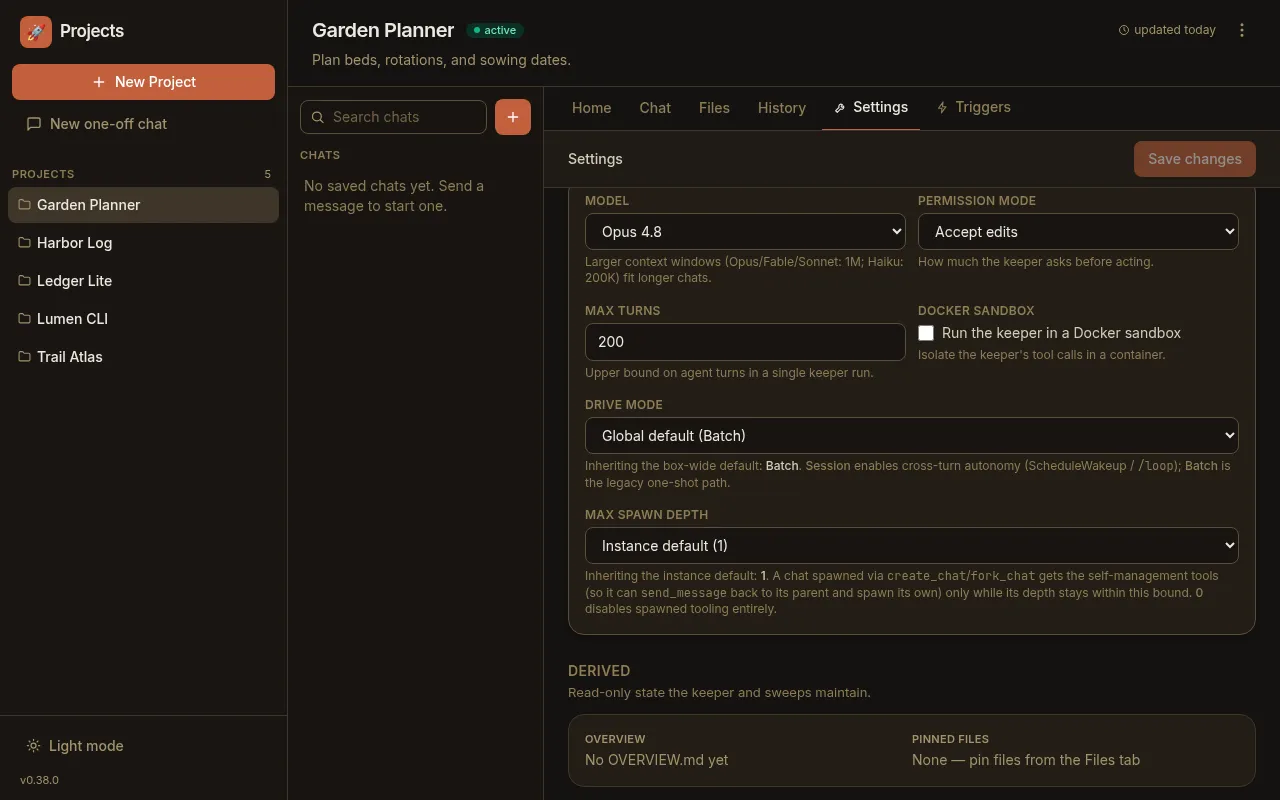
Section titled “Per-project overrides layer on top”The YAML file sets instance-wide defaults. A handful of settings can then be
overridden per project from that project’s Settings tab (persisted in its
project.yaml), which wins at dispatch time — for example driveMode,
maxSpawnDepth, hooksMcpEnabled, the chat recovery knobs, and the
attachments group (a project can raise/lower its upload caps or disable uploads
entirely). So the layering is: built-in default → instance YAML/env → per-project
override.
See also
Section titled “See also”- Environment variables — the canonical list of every setting, with defaults, that this file mirrors.
- Authentication — auth modes and the
authsection in detail. - Chat recovery — the
recoverysection and its per-project override.